
 Bosanski
 Hrvatski
 Srpski
 Deutsch
 Italiano
 Español
 Français
 中文
中文 日本語
日本語How Voda works
A few taps, a pin on the map, and you see your neighbourhood. No account, nothing to type.
- Free No ads and nothing to buy, now or later.
- No cookies No account, no login, no trackers. Your phone keeps only what the app needs.
- Anonymous No name, no IP address, no exact spot. Reports are counted by area.
- Open data Counts per area and day become open data under CC BY 4.0, for anyone to check and use.
- Accessible No app to install: it works in the browser, on any phone or computer.
- Multilingual Read and report in your own language, and switch at any time.
-
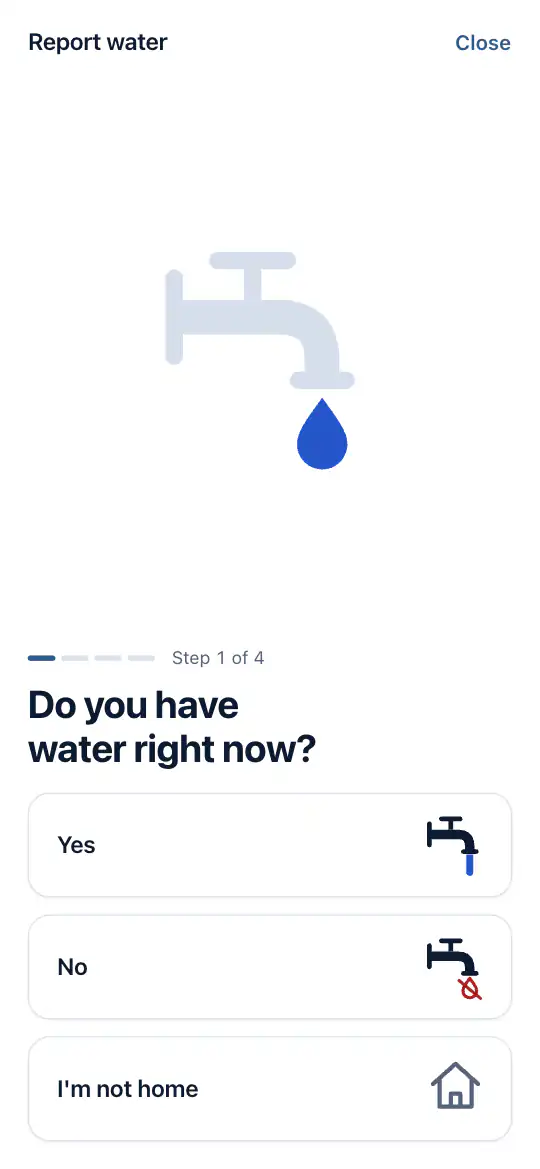
Say whether you have water
Is there water right now? If not, since when; if yes, how strong it runs. Then where you live. Only buttons.
-
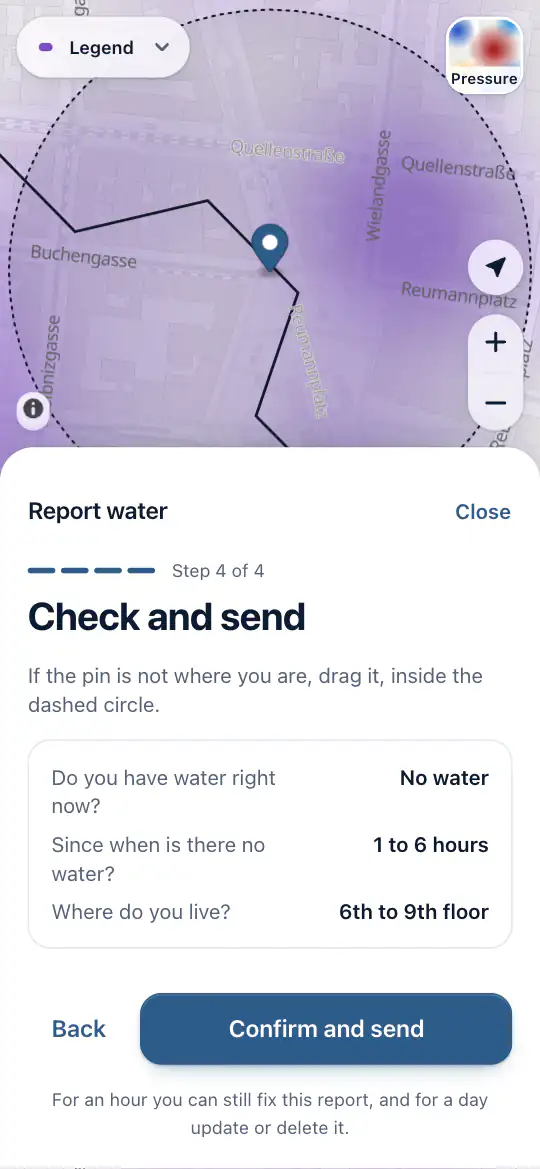
Check the pin and send
The app asks for your location and puts a pin on the map; drag it if it is off. Before anything is saved, the pin becomes an area about 135 metres across. The exact spot is never kept.
-
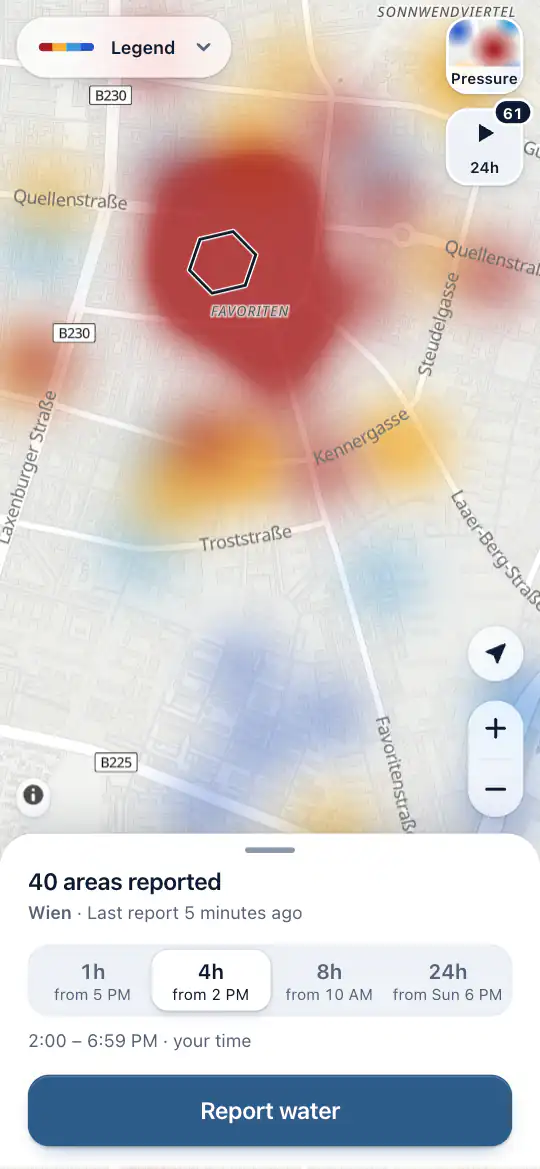
See your neighbourhood
Your report opens the map for two hours: where the water is out, and where it runs weak. Not at home? “I'm not home” opens it without a report.
-
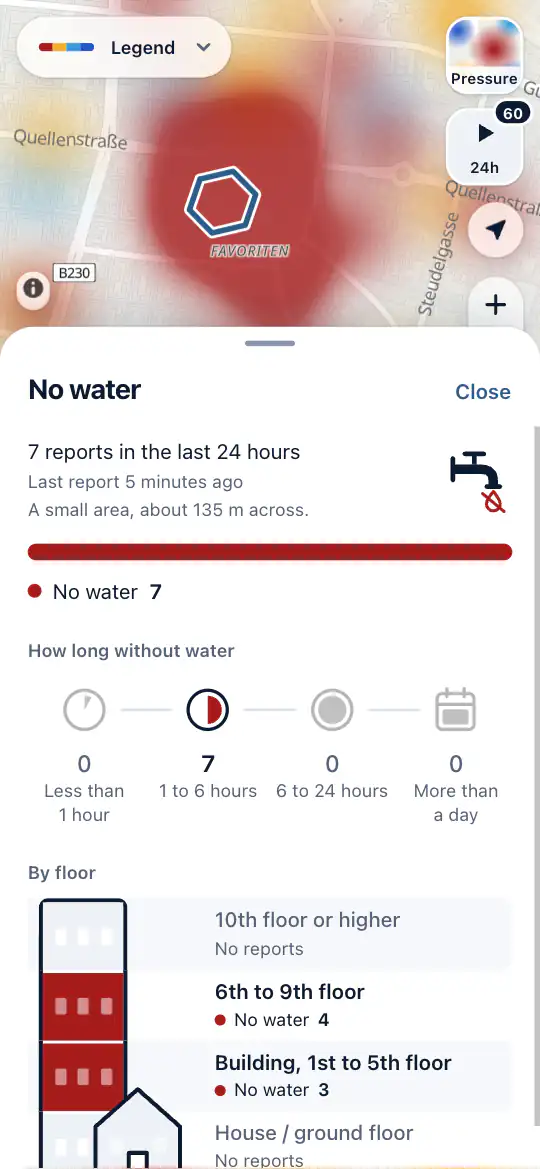
Look floor by floor
Tap an area to see what its neighbours reported, how long the water has been out, and on which floors.
-
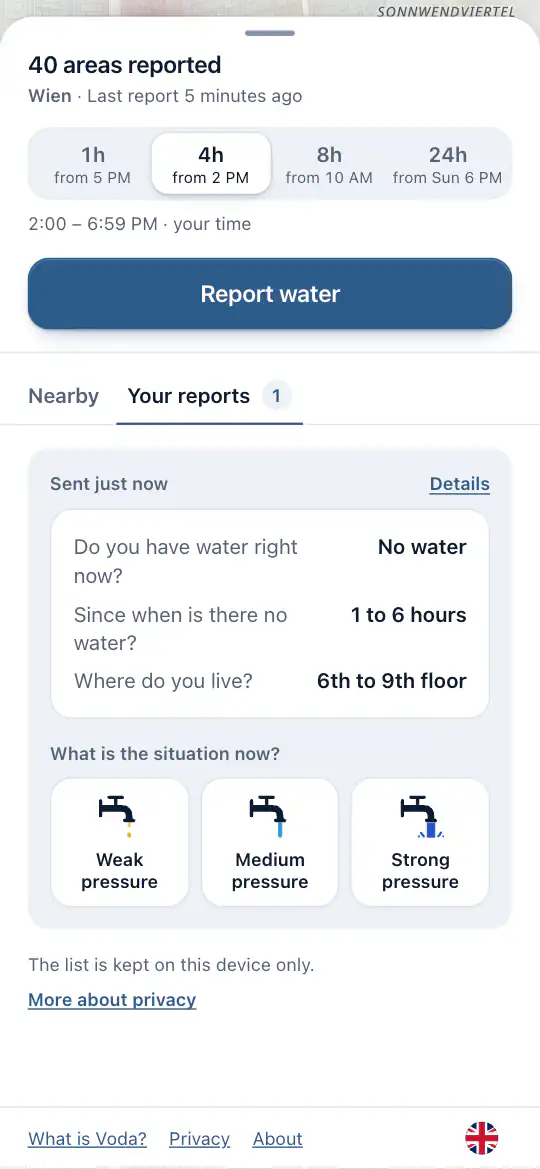
Say when it changes
Your report stays on your phone for a day. When the water comes back, or goes again, one tap tells your neighbours.
Water out where you live? Put it on the map.